Introduction: Apple’s Expanding Ecosystem
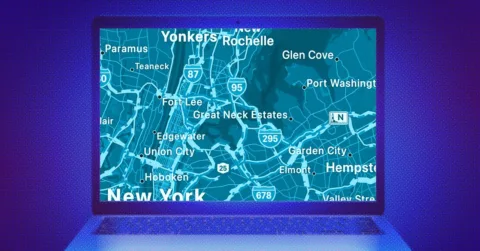
Apple has long been known for its closed, tightly integrated ecosystem—often referred to as its “walled garden.” While this approach ensures a seamless user experience, it has traditionally limited access to Apple services outside of Apple hardware. That wall, however, is slowly crumbling. The latest sign of this shift? Apple Maps is now available on the web, accessible from virtually any modern browser on Windows PCs, Android devices, and Macs.
Apple Maps on the Web: A Long-Awaited Breakthrough
Originally launched in 2012, Apple Maps has grown significantly in both accuracy and usability. While previously confined to Apple devices, the service has now stepped onto a broader stage. With its beta version now live on the web, Apple Maps is opening up to a wider audience, offering cross-platform access for anyone with a compatible browser.
This move signals Apple’s intention to compete more directly with Google Maps, long the dominant player in web-based navigation. Though the web version is still labeled as beta, it’s already quite capable, allowing users to:
Look up locations
Access directions
Explore curated city guides
Curious about how emerging digital tools like this affect marketing strategy? Explore insights on Trenzest.com for the latest tech and business trends.
Browser Compatibility & Limitations
To use Apple Maps on the web, you’ll need a compatible browser—Safari, Chrome, Edge, or Firefox all work seamlessly. However, there are still some limitations:
No Apple ID login support: You can’t sync your saved locations or access recent searches.
Beta performance: While generally smooth, occasional glitches may appear.
Despite these constraints, the current web version is a robust foundation for more expansive functionality in the near future.
Core Features of Apple Maps on the Web
Map Views and Orientation Tools
Once you open Apple Maps in your browser, you’ll notice intuitive UI elements:
View Modes: Choose between Standard, Satellite, and Hybrid.
Compass & Orientation: Drag the compass to rotate the map or click it to return north.
Zoom Controls: Use your mouse wheel, pinch gestures, or the zoom buttons in the bottom-right corner.
Navigation Pane: Search, Guides, and Directions
The collapsible navigation panel in the upper-left corner gives access to three primary features:
Search: Type in any location or point of interest. You’ll also see quick shortcuts to nearby restaurants, gas stations, and more.
Guides: Explore curated lists of attractions, restaurants, and landmarks in supported cities.
Directions: Get turn-by-turn navigation, with multiple travel mode options.
These features are designed for both casual browsing and efficient trip planning.
City Guides & Landmark Insights
One of Apple Maps’ standout features on the web is the integration of city overviews. For major metropolitan areas, you’ll see rich information panels that include:
Landmark photographs
Brief historical facts (often sourced from Wikipedia)
Labels for major roads and attractions
This transforms Apple Maps into more than just a navigation tool—it becomes a discovery platform for travelers and enthusiasts alike.
The Bigger Picture: Apple’s Strategic Move
Apple’s decision to bring Maps to the web is not just about convenience—it’s a strategic step towards broadening its service ecosystem. As competition heats up between Apple, Google, and other tech giants, accessibility and cross-platform functionality are becoming key differentiators.
This shift also benefits businesses aiming to optimize visibility across platforms. If you’re managing local listings or navigating cross-platform content marketing, it’s essential to stay ahead of these changes.
Final Thoughts & Next Steps
Apple Maps on the web is more than a convenient update—it’s a symbol of Apple’s evolving digital openness. With accessible tools for discovery, navigation, and local insights, it’s poised to become a serious contender in the web mapping arena.
For marketers and entrepreneurs, this transition represents new opportunities to connect with audiences through Apple’s ecosystem—even without owning an Apple device.
👉 Want to stay ahead of digital trends that actually move the needle? Subscribe to Trenzest’s newsletter.